Short answer: Don’t replace a working Fire tablet just because Amazon has a new name for its tablets. The new Alexa Tablets are a meaningful upgrade if you need the Google Play Store, a better screen, more multitasking headroom or a proper keyboard-and-pen setup. But if your Fire still handles books, videos and kids’ entertainment, keeping it is probably the better deal.
Amazon announced the Alexa Tablet 8, Alexa Tablet 11 and Alexa Tablet 12 Pro on October 8, 2026, with North American shipping beginning October 14. The headline change is bigger than the branding: the new devices run Android with official Google Play access, whereas older Fire tablets rely on Fire OS and Amazon’s app ecosystem. Here’s how to decide whether the upgrade is worth your money.
Fire Tablet vs Alexa Tablet: what actually changed?
Think of the Fire lineup as affordable entertainment-first tablets. The new Alexa range aims to be more versatile. Amazon has switched to aluminum designs, introduced more capable displays, integrated Alexa+ and opened up the full Google Play Store. That last change matters most if you’ve ever struggled to install a school, banking, work or entertainment app on Fire OS.
- Apps: Alexa Tablets officially support Google Play, including mainstream Android apps such as Gmail, YouTube and Google Docs. Older Fire models do not have native Google Play support.
- Price: Alexa Tablet 8 starts at $229.99, Tablet 11 at $329.99 and Tablet 12 Pro at $499.99. These are Amazon’s announced starting prices, not guaranteed live deals.
- Hardware: All three have aluminum construction; the larger models add sharper, smoother displays and more RAM.
- Assistant: Alexa+ is integrated throughout the new interface, including optional on-screen assistance.
- Existing devices: A Fire tablet you already own does not suddenly stop working. Amazon plans to continue security support for existing Fire devices.
Amazon’s official launch details provide the hardware specifications. The Verge’s reporting covers the transition away from the Fire line.
Alexa Tablet 8 vs 11 vs 12 Pro: quick comparison
| Model | Starting price* | Best fit | What stands out |
|---|---|---|---|
| Alexa Tablet 8 | $229.99 | Reading, travel, casual video | 8.7-inch display, 4GB RAM, up to 14 hours video |
| Alexa Tablet 11 | $329.99 | Everyday family and entertainment use | 11-inch 2.5K 90Hz screen, 8GB RAM, up to 15 hours video |
| Alexa Tablet 12 Pro | $499.99 | Multitasking, notes, larger-screen reading | 12-inch 120Hz screen, optional Nanomatte, keyboard/pen support |
*Announced US starting prices as of October 2026; configurations, promotions and availability can change. Battery claims are manufacturer estimates.
Pick the Alexa Tablet 8 if you value portability
The 8.7-inch model is the easiest one to carry. It makes sense for Kindle reading, recipes, streaming on a flight or keeping a tablet in a bag. The catch is value: at $229.99 with 4GB of RAM, it’s no longer the impulse-buy bargain people associate with Fire tablets. If you only need books and video, compare the cost with keeping your current Fire before upgrading.
Pick the Alexa Tablet 11 for most everyday use
For a buyer who really wants a new Alexa Tablet, the 11 looks like the sensible middle ground. Its sharper 2.5K display, 90Hz refresh rate and 8GB of RAM offer more room for browsing, entertainment and switching apps. It costs $100 more than the base Tablet 8, so that upgrade is worth considering if you’ll use it every day. This is a specification-based recommendation, not a hands-on performance verdict.
Pick the Alexa Tablet 12 Pro for work or handwritten notes
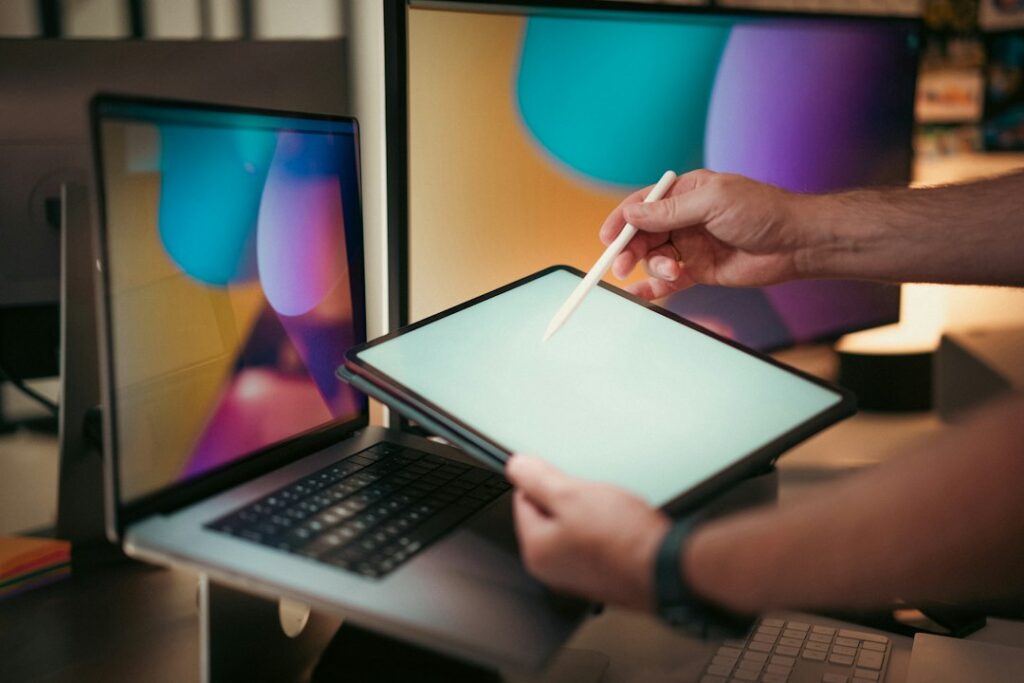
The 12 Pro is the one to consider if you’ll use split-screen apps, a keyboard or a pen. It has a 120Hz display and optional Nanomatte anti-glare glass. The compatible Pro Keyboard and Pro Pen are separate purchases, so include those in your total before comparing it with a laptop or another Android tablet. The Pro starts at $499.99, while the Nanomatte configuration starts at $549.99.
Should you upgrade from a Fire HD 8, Fire HD 10 or Fire Max 11?
If you own a Fire HD 8: Upgrade when app compatibility is a real problem, or when your current tablet feels too slow for what you do. For simple Kindle reading and occasional streaming, you may not get $230 worth of extra benefit from the new smallest model.
If you own a Fire HD 10: Ask whether you need Google Play and smoother multitasking. If yes, the Alexa Tablet 11 is the more natural comparison because of its screen size. If not, don’t pay to solve a problem you don’t have.
If you own a Fire Max 11: Look hardest at the software change, not the name. You already have a larger-screen Fire device, so the new Tablet 11 may be a sideways move for your particular use. The 12 Pro is more compelling if you want the higher refresh rate, pen/keyboard ecosystem or anti-glare option, but costs considerably more.
Before spending, check your current model’s battery health, available storage and whether the apps you want actually run on it. Also check trade-in eligibility inside your own retailer account rather than relying on someone else’s discount screenshot: eligibility and offers can differ.
Google Play is the biggest reason to switch
On older Fire tablets, Amazon’s app store can be enough for video, reading and light games. The frustration begins when a specific Android app isn’t available. Alexa Tablets support Google Play out of the box, so the experience is much closer to a conventional Android tablet. That’s particularly useful for school apps, productivity tools and services that don’t publish a Fire OS version.
Still, an app being listed on Google Play doesn’t guarantee perfect performance on every device. If one specific app is the reason you’re buying, check its device requirements and recent reviews first.
What about reading, Audible and kids?
Amazon’s new Kindle reading mode can silence notifications and adjust the display for a more focused reading experience. The company advertises up to 20 hours of reading on the larger models under its test conditions. That doesn’t make an LCD tablet identical to a dedicated E Ink Kindle, but it’s useful if you want one device for books, video and web browsing.

If you listen as much as you read, our favorite Audible reads for 2026 offer a place to start. Wondering about audiobook ownership before subscribing? Read what happens to Audible books after canceling.
Amazon also announced Kids Tablet 8 and 11 bundles with protective cases and a year of Kids+. Parents should compare parental controls, replacement terms and the total subscription cost, not just the tablet’s sticker price.
Five things to check before buying
- List your must-have apps. If your current Fire runs them, Google Play alone may not justify an upgrade.
- Choose screen size before specs. An 8.7-inch device is easier to hold; an 11- or 12-inch display is more comfortable for split-screen work.
- Budget for accessories. The 12 Pro’s pen and keyboard are not included in its base price.
- Look at the real checkout total. Starting prices are not the same as a verified current sale price. Compare any discounts with the retailer’s regular listing and return policy.
- Don’t ignore charging. If you travel with several gadgets, our guide to using one USB-C charger for a phone, laptop and tablet explains what wattage and compatibility to check.
Bottom line: who should keep their Fire tablet?
Keep it if it still streams, reads and runs the apps you need. Consider the Alexa Tablet 11 if you want a modern all-purpose Android tablet with Google Play. Consider the 12 Pro only if you’ll use its larger display or optional productivity accessories. The Tablet 8 is the portable choice, but at its higher starting price it isn’t automatically the best bargain.
For changing offers, browse the latest TrendingFindz deals. We haven’t linked unverified affiliate product listings here; prices above are launch MSRP, not current deal claims.
Frequently asked questions
Do the new Alexa Tablets have Google Play?
Yes. All three new Alexa Tablets have official Google Play Store access, unlike the older Fire OS lineup.
Will my existing Fire tablet stop working?
No. Existing Fire tablets do not stop functioning because Amazon introduced Alexa Tablets. The company has said it will continue security support for existing devices.
Is the Alexa Tablet 11 worth $100 more than the Tablet 8?
For frequent use, its larger and sharper 90Hz display and additional RAM make a reasonable case. For travel and one-handed reading, the smaller model may fit better.
Is the Alexa Tablet 12 Pro a laptop replacement?
It can handle many tablet productivity tasks with optional accessories, but whether it replaces your laptop depends on your apps, keyboard needs and workflow.
Sources: Amazon’s October 2026 announcement; The Verge’s launch reporting. Updated October 15, 2026. This guide is based on published specifications and reporting, not independent device testing.